Use an AI Video Editor to Test One Hook
Three short-form openings can appear to test three hooks while actually changing the whole argument. One begins with a product close-up, another adds a discount card, and a third introduces a customer quote. If performance differs, the team cannot tell whether viewers responded to the first visual beat, the offer, or the evidence.
A video editor AI is most useful for this job when the experiment is deliberately boring. Hold the claim, proof, body sequence, and call to action constant. Change only the first visual beat. The output becomes a set of test candidates with a clean hypothesis, not a pile of loosely related ads.
Freeze the Claim Before Designing Any Hook
Write the video’s promise in one sentence and underline the evidence that supports it. A training course might promise a repeatable keyword-research workflow and support it with a real screen demonstration. That promise and demonstration must survive every opening. A dramatic hook cannot introduce a faster outcome, easier method, or different audience that the unchanged body does not prove.
Lock the offer, price, deadline, testimonial wording, product interface, and call to action as well. These elements have enough persuasive force to contaminate a hook test. If one candidate receives a discount overlay and the others do not, the team is no longer comparing openings.
Create a control version from the current approved video. Give it a plain label in the experiment sheet and record its duration, aspect ratio, body start frame, and audio track. The control is not assumed to be good; it is the stable point against which each first-beat change is judged.
Prepare a Source with a Replaceable First Beat
Choose a clean boundary between the opening and the shared body. A hard cut at two seconds is easier to control than a six-second dissolve that blends the hook into the demonstration. Preserve enough handle frames around the boundary so every candidate can join the body without changing its timing.
AIVideoEditor.me’s current workflow accepts uploaded video, a plain-English editing prompt, and generation of a new version. The platform can support prompt-led visual directions, but it does not provide a traditional timeline guarantee. Prepare a short source whose first beat can be evaluated even if the generated transition needs review.
Remove captions from the experimental source if they would need to change with the hook. Add verified captions later as a separate locked layer. Otherwise a visually different opening can acquire different wording, and the test begins comparing copy as well as imagery.
Make a shot manifest for the shared body before using AIVideoEditor.me. Record the first body frame, key product evidence, any interface text that must remain accurate, and the final call-to-action frame. After generation, compare those reference frames across every candidate. The manifest catches a small body change that ordinary playback may treat as part of the new opening.
Keep audio fixed from the body boundary onward. If the hook uses a sound cue, give all three candidates a cue with the same duration and loudness treatment, or run a silent visual test first. A louder opening is an attention intervention of its own and should not hide inside a visual hypothesis.
Give Each Opening One Competing Hypothesis
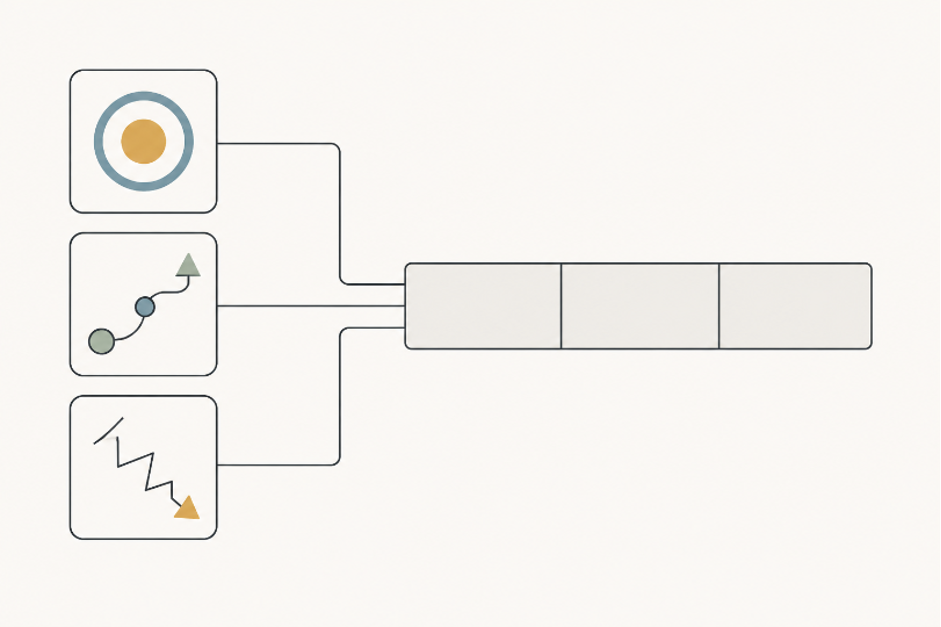
Draft three hypotheses before generating anything. A result-first opening predicts that viewers need to see the finished outcome. A process-first opening predicts that the method itself creates curiosity. A friction-first opening predicts that recognition of a familiar problem earns the next second. Each hypothesis changes the visual premise, not the product claim.
Use edit videos online to create the candidates from the same source and shared body. Keep the requested change explicit: replace only the first two seconds with one visual premise; preserve the demonstration, product details, pacing after the cut, and ending. Generate each candidate as its own branch rather than refining one into the next.
Record the prompt beside the hypothesis. If a candidate unexpectedly changes the body or offer, reject it before audience testing. Collateral drift is not an interesting creative surprise here; it breaks the comparison. AIVideoEditor.me should be treated as the production route for candidates, while the experiment sheet defines what qualifies as the same ad.
Measure the first-beat duration from the actual export, not the prompt. A generated motion may reach its subject later than expected even when the file is two seconds long. Mark the frame where the result, process, or friction becomes understandable. If one premise gets twice as much comprehension time, trim or rebuild it before calling the set comparable.
Reject decorative differences that do not express the hypothesis. Changing the palette, camera style, and background while keeping the same product reveal produces three aesthetics, not three opening ideas. The candidate should make its competing prediction visible in one sentence a reviewer can repeat.
Review Comprehension Before Looking at Metrics
Watch each opening without sound and stop at the body boundary. Ask a reviewer who did not write the brief to state what they expect the video to explain or prove. The answer need not match the final copy word for word, but it should point toward the same claim. If the friction-first hook suggests a cybersecurity problem while the body teaches keyword research, the visual promise is wrong.
Next, watch the complete candidates in random order. Check the cut into the shared body, subject continuity, interface accuracy, caption-safe space, and duration. Do not select the smoothest opening if it weakens the experiment’s distinction. The three hypotheses should be recognizable while the rest of the video feels intentionally unchanged.
Use internal reviewers only to remove broken candidates. They cannot manufacture retention data or prove which hook will perform best. A candidate that passes comprehension is ready for a controlled audience test; it is not a winner yet.
Select Test Candidates Without Inventing Results
Publish candidates under the same targeting, placement, schedule, caption, offer, and measurement window when the channel permits. Define the primary metric before launch and keep it tied to the first-beat hypothesis. Early hold or continuation rate may suit an opening test; downstream conversion can be affected by many later variables.
Do not report a hypothetical improvement as a platform result. The editing workflow creates the variants; the distribution platform produces observed audience data. Keep generation notes and test results in separate fields so a persuasive creative description cannot be mistaken for measured evidence.
After the window closes, retain the control, prompts, candidates, settings, and actual result. A losing hook may still teach the team that a process visual confused the promise or that a friction scene attracted the wrong expectation. That is more useful than saving only the highest metric and forgetting what was held constant.
Set the decision rule before viewing the dashboard. For example, advance a candidate only if it improves the chosen opening metric without a material drop in qualified clicks or completed views. The exact thresholds belong to the campaign owner and sample size; they should not be invented by the editor after seeing a favorable curve.
Run a second test when two openings are close or when delivery was uneven. Do not merge the “best parts” of both candidates and present the hybrid as the measured winner. It is a new creative with a new hypothesis and needs its own controlled comparison.
A clean hook test changes one opening idea and protects the rest of the commercial argument. If the body, proof, offer, or audience also moves, the result cannot answer the original question. Use prompt editing to make the first beat visible, then let controlled distribution—not creative enthusiasm—decide which hypothesis deserves another run.